
Exploring Account Portfolio page
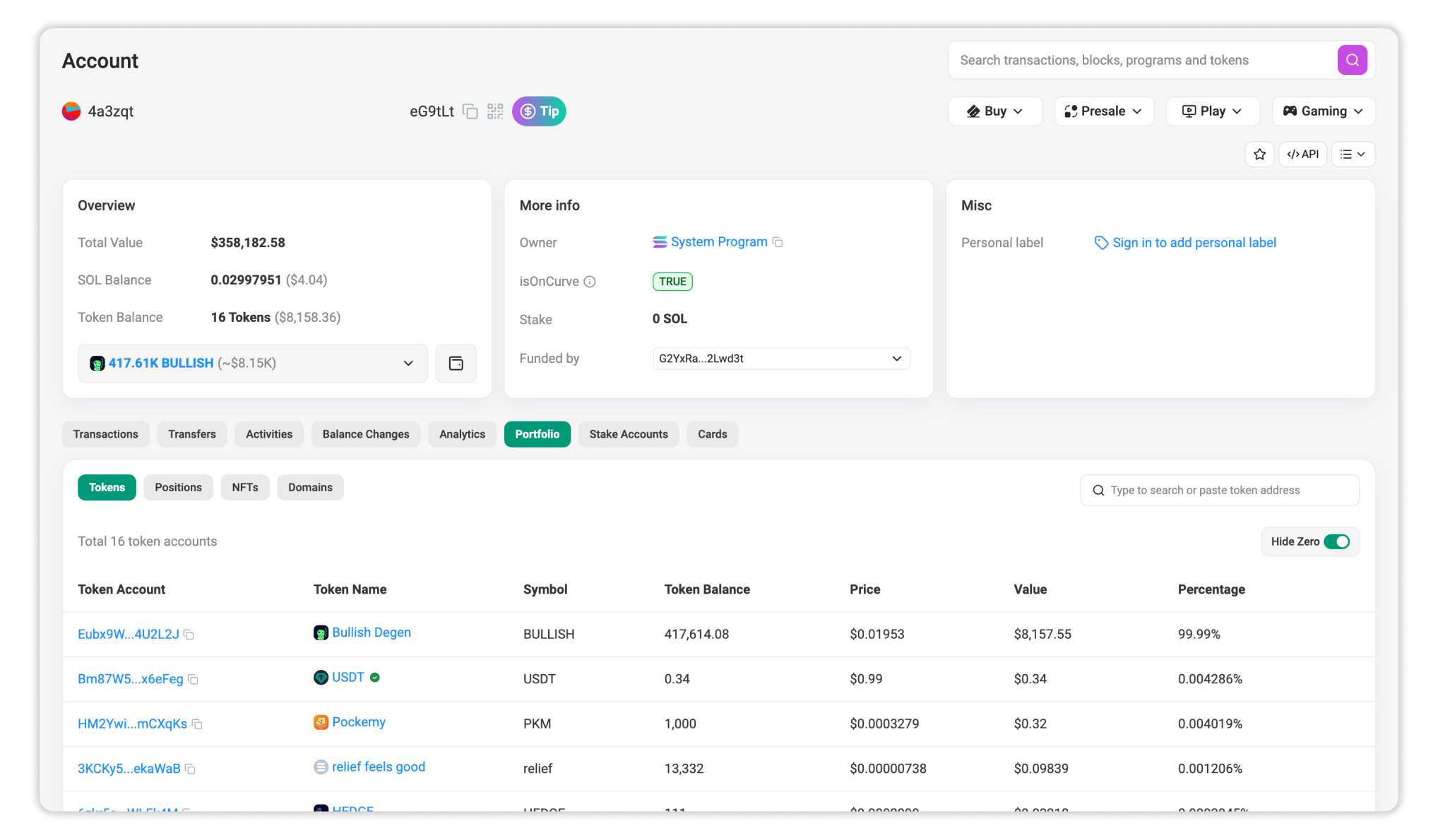
The Account Portfolio page on Solscan provides a consolidated view of a wallet’s asset holdings. Instead of focusing on transaction activity, this page is designed to help users understand what an address currently holds, how those holdings are distributed, and where value is concentrated.
You can access the Portfolio view from any account page by selecting the Portfolio tab.
Section A: Tokens
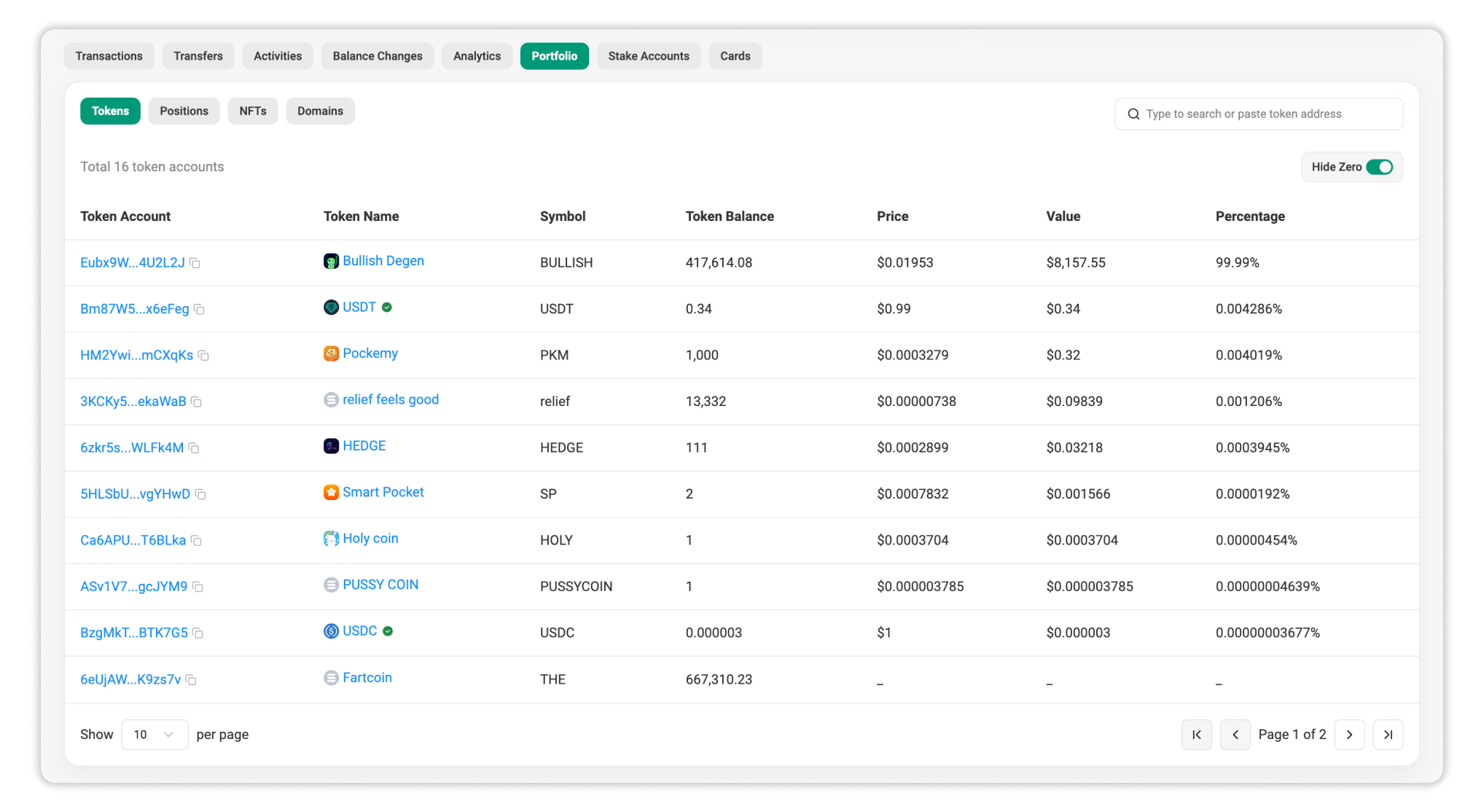
The Tokens section lists all SPL tokens currently held by the wallet. This table gives users a clear overview of token ownership and relative value.
This section shows:
- All tokens held by the wallet, including standard SPL tokens and wrapped assets
- Token balances and estimated value for each token
- Portfolio distribution, showing how much each token contributes to the total value
Tokens are sorted by value from highest to lowest, with zero token balances hidden by default, allowing users to immediately identify the most significant holdings.
Search is available to help users quickly locate specific tokens.
Section B: Positions
1. What DeFi Positions Are
DeFi positions represent assets that are actively deployed in DeFi protocols, rather than passively held in a wallet. Examples include:
- Liquidity pool on automated market makers (AMMs)
- Staked tokens in earning or governance contracts
- Lent assets in money markets or lending pools
- Other protocol engagements where assets are locked or committed
Unlike simple token balances, these positions reflect capital that is deployed—earning fees, yield, or participating in market activities—and are often not directly visible in the raw token balance of a wallet.
2. Why DeFi Positions Are Shown
For an accurate portfolio assessment, looking only at token balances is often insufficient. DeFi positions represent capital actively deployed in protocols, where assets may be locked in smart contracts while generating yield or fees. These positions contribute directly to a wallet’s net worth and reveal exposure to specific DeFi applications and ecosystems.
Solscan surfaces DeFi positions in the Positions subtab of the Account Portfolio page so that users can distinguish between passively held assets and deployed capital, understand where value is coming from, and evaluate protocol-level exposure. This integration provides a more complete and accurate view of an address’s on-chain financial state.
3. How to Read the Positions Subtab on Solscan
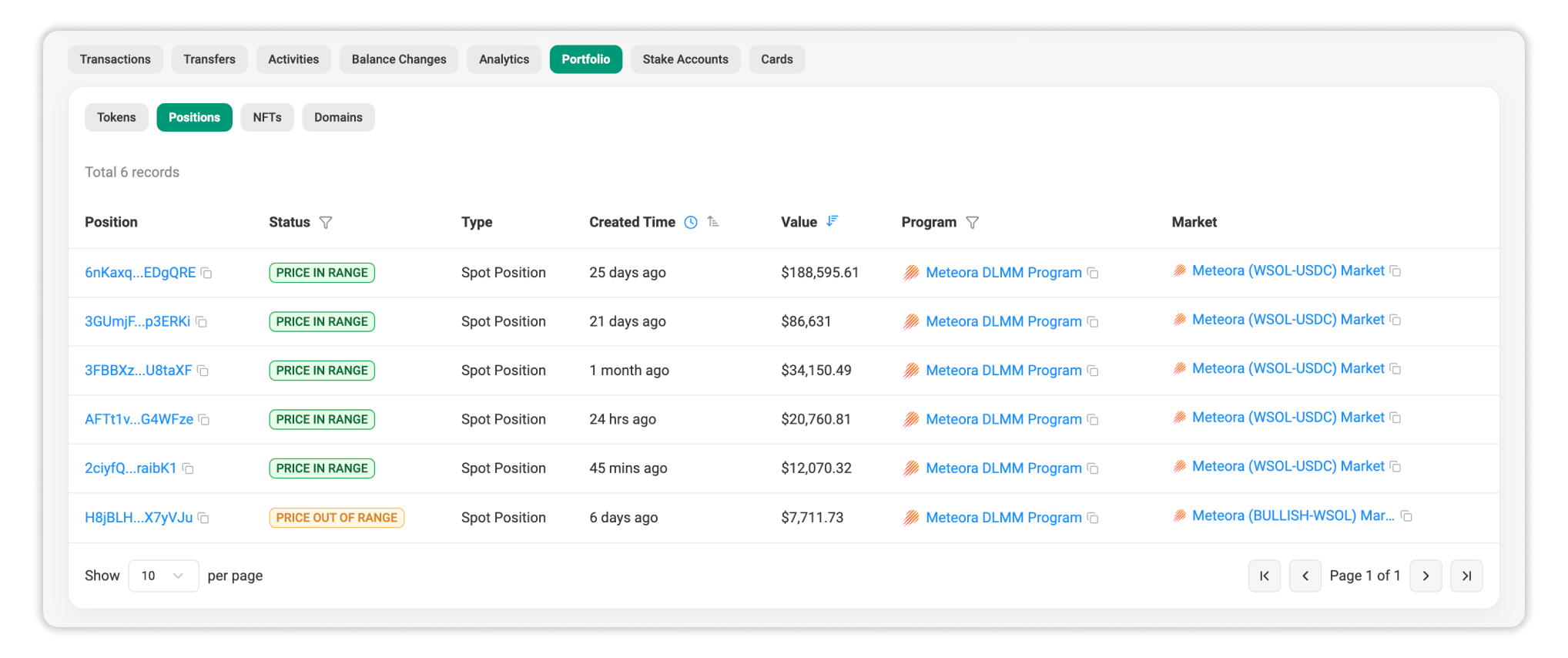
This section shows:
- Position address: a unique address for each position
- Status: current condition (e.g., in range vs out of range for LP positions)
- Position type: e.g., liquidity provision, stake, or lending position
- Creation time: when the position was opened
- Value: the estimated USD value of the position
- Protocol name: the specific DeFi platform involved
- Market name: the specific market involved
Clicking on the position’s address directs you to the position details page, where you can inspect:
- Transaction history related to the position
- Updates in balance over time
- Protocol-specific metadata (such as pool composition or fee status)
This makes it easier to assess performance or investigate changes..
4. Supported Protocols
Below is a list of protocols currently supported in the Positions tab (with more being added continuously):
- Liquidity Providing: Meteora DAMM v2, Meteora DLMM, Raydium CLMM, Orca Whirlpool, PancakeSwap
- Lending: Coming soon
- Staking: Coming soon
5. Example Case
Imagine a wallet that holds both SPL tokens and a liquidity position on a decentralized exchange:
- In the Tokens section, you see the wallet holds 500 USDC and 1000 RAY.
- In the Positions subtab, you see a Raydium CLMM position worth $4,000.
Without the Positions view, the wallet’s value would appear to be $1,500 (USDC + RAY). By including the DeFi position, Solscan reveals a true net worth of $5,500 and shows where value is deployed in the protocol.
Section C: NFTs
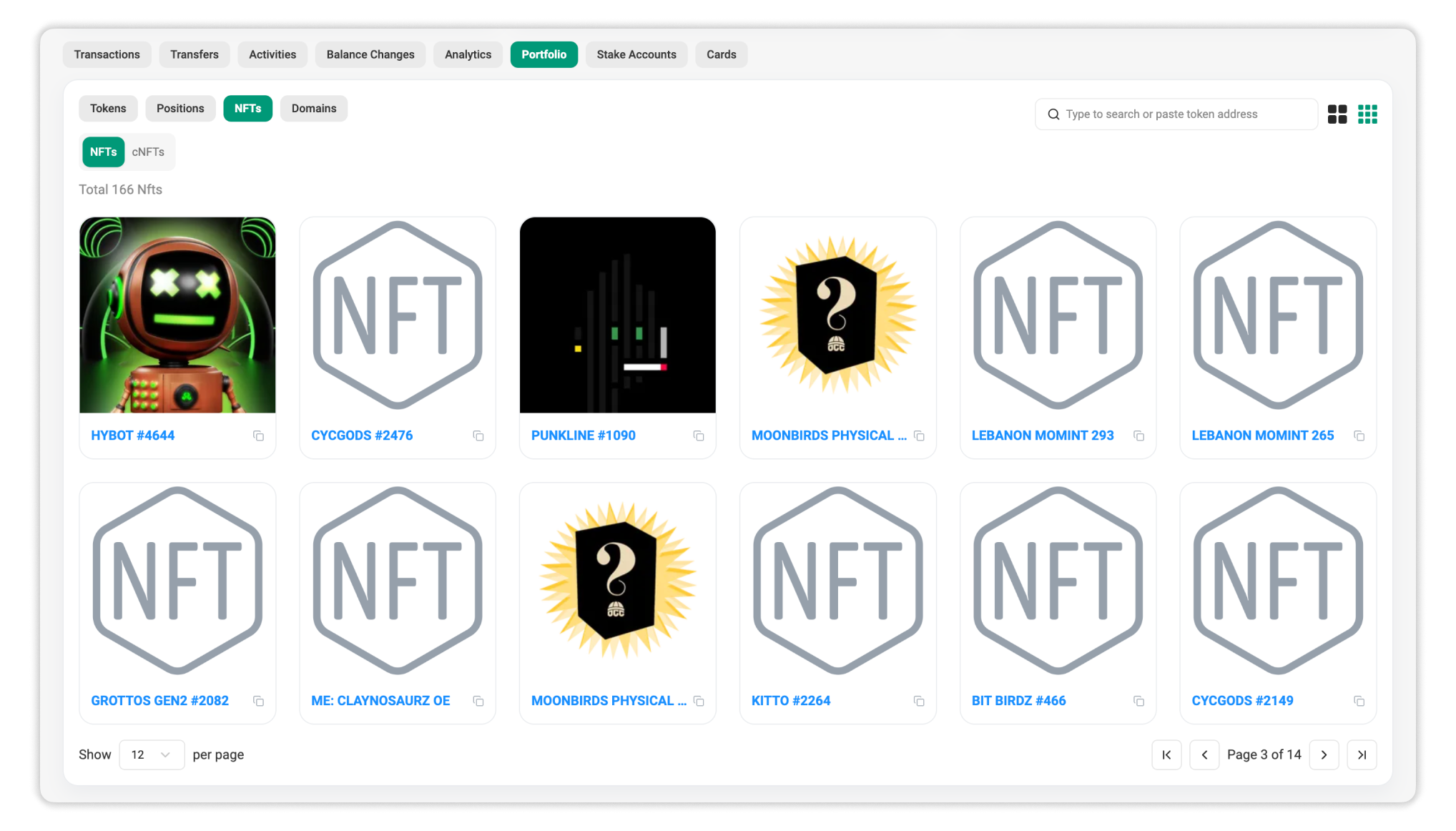
If the wallet holds NFTs or cNFTs, they are displayed in the NFTs section and organized into corresponding sub-tabs.
This section shows:
- NFT collections associated with the wallet
- Visual previews (available for collections verified on Solscan)
- Basic metadata, such as asset names
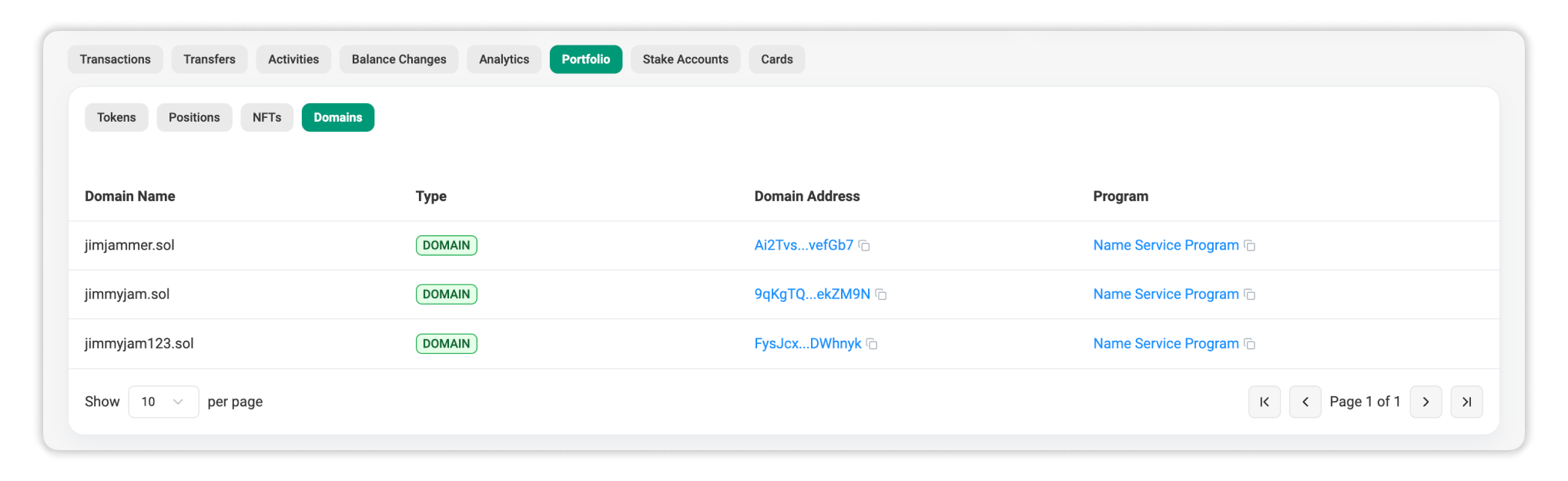
Section D: Domains
If the wallet owns any domains or subdomains, they are displayed in the Domains section.
This section shows:
- All domain names owned by the wallet and their types
- The address associated with each domain
- The domain name service provider
If the wallet has set a domain as its primary (aka favorite), that domain appears in the Misc section above and is used to represent the wallet’s identity across activity tables.
How to Use the Account Portfolio Page
The Account Portfolio page is designed for fast inspection and high-level analysis. Common use cases include:
- Reviewing a wallet’s total holdings and value distribution
- Identifying the most valuable tokens or active positions
- Understanding how much capital is actively deployed versus passively held
- Managing DeFi positions through the Positions sub-tab
Because the Portfolio page is integrated with other Solscan views, users can easily navigate from holdings to detailed token pages or transaction history when deeper analysis is required.
Summary
The Solscan Account Portfolio page provides a clear, structured overview of a wallet’s assets. By separating holdings into Tokens, Positions, NFTs, and Domains, it helps users quickly understand what an address owns, where value is concentrated, and how assets are being used.
For users tracking portfolios, analyzing wallets, or researching DeFi activity, this page offers a concise and efficient starting point.

Still Have Questions?
Supported Explorers
 Solscan
  Eclipsescan
  Fogoscan