
Solana Program IDL on Solscan
Table of Contents
- What Is a Program IDL?
- Why Program IDLs Matter?
- Where to Find the IDL Tab on Solscan?
- What Can You Do in the Program IDL Tab?
- Frequently Asked Questions
- Summary
Program pages on Solscan help users understand how a Solana program works, how it is used, and how it interacts with accounts and transactions.
A key feature on these pages is the IDL tab, which makes a program’s interface easier to read by displaying its Interface Definition Language (IDL), when available.
This article explains what a program IDL is, why it matters, and what users can do with IDL-related features on Solscan, including viewing the current IDL, exploring historical versions, and comparing changes between versions.
What Is a Program IDL?
A program IDL (Interface Definition Language) is a structured specification that describes how to interact with a program in a clear and readable format.
When a program is built with Anchor, it automatically generates a JSON file representing the program’s IDL. This file defines how users, wallets, and applications can call the program’s functions and interpret its data.
A typical IDL may include:
- Program instructions
- Required accounts
- Instruction arguments
- Data types
- Events
- Errors
Why Program IDLs Matter?
Solana programs can be difficult to understand from raw transaction data alone. Without an IDL, program activity may appear as low-level instructions, account inputs, and raw data that are hard to interpret.
With an IDL, Solscan can present program information in a more structured and readable format.
IDLs make it easier for developers to understand how to interact with a program, for wallets and applications to decode program instructions, and for indexers and explorers to display program activity more clearly. They also help analysts review how a program is designed to be used and allow users to better understand what a program is doing.
Where to Find the IDL Tab on Solscan?
Users can find the IDL tab on program pages on Solscan.
To access it:
- Open a program address on Solscan by pasting the program ID or searching for its name.
- Navigate to the Program IDL tab.
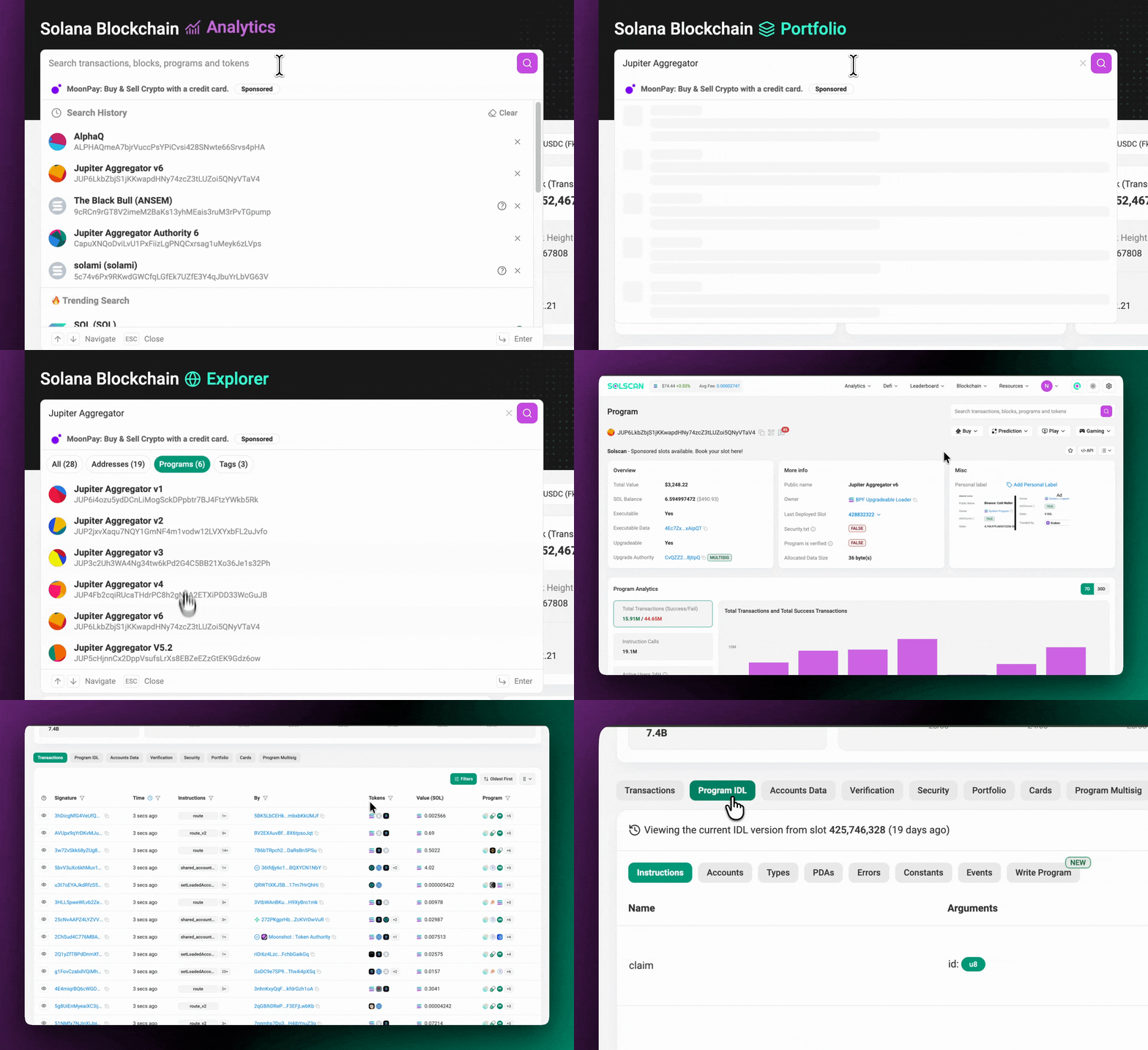
If the program has published its IDL, Solscan will display it in this section.
What Can You Do in the Program IDL Tab?
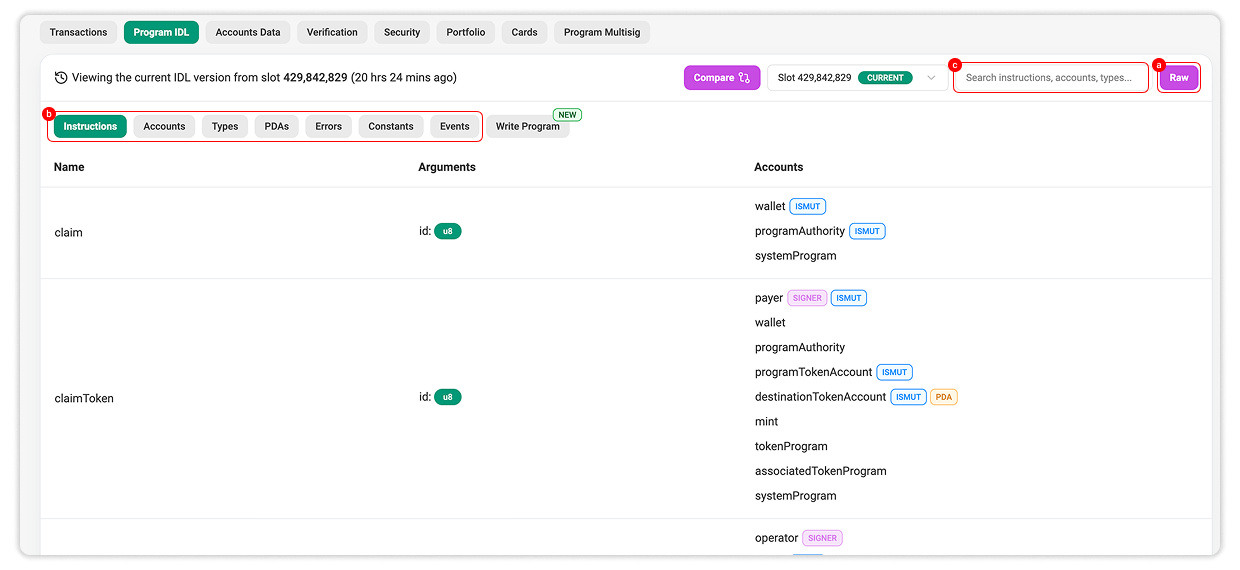
The IDL tab allows users to inspect and work with a program’s interface in one place.
Depending on the program and available data, users can view the current IDL, explore historical versions, and compare changes between versions.
View the Current IDL
The current IDL shows the latest available interface definition for the program.
Users can review instructions, accounts, arguments, events, errors, and other supported structures.
This is useful for understanding how the program works at the interface level, especially when reviewing activity or checking how applications interact with it.
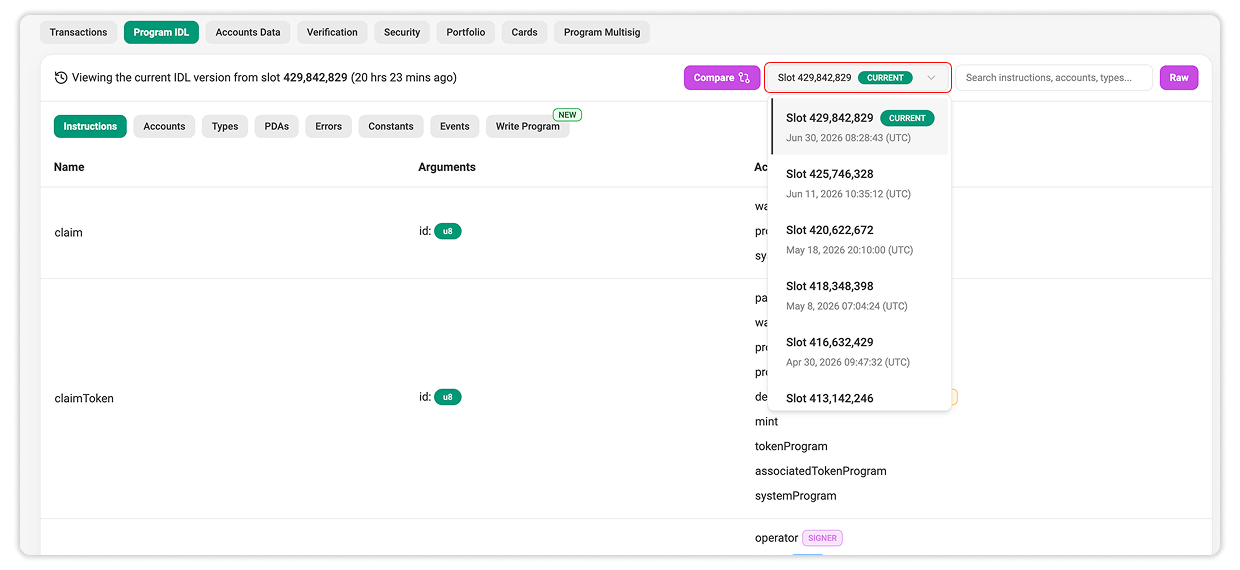
View Historical IDL Version
Solscan supports historical IDLs for programs with previously uploaded versions.
Instead of only showing the latest IDL, users can view earlier versions when available.
This helps users understand how a program’s interface has evolved over time.
Historical IDLs are especially useful for reviewing long-running or actively maintained programs.
Compare IDL Versions
Users can compare different IDL versions on Solscan. This allows them to identify changes between two versions, such as:
- Instructions added, removed, or updated
- Changes to account structures
- Arguments added, removed, renamed, or modified
- Data type changes
- Events added or removed
- Errors added or updated
This feature helps users quickly identify differences without manually reviewing entire IDL files.
How to compare IDL versions on Solscan
To compare IDL versions:
- Open the program page on Solscan.
- Navigate to the IDL tab.
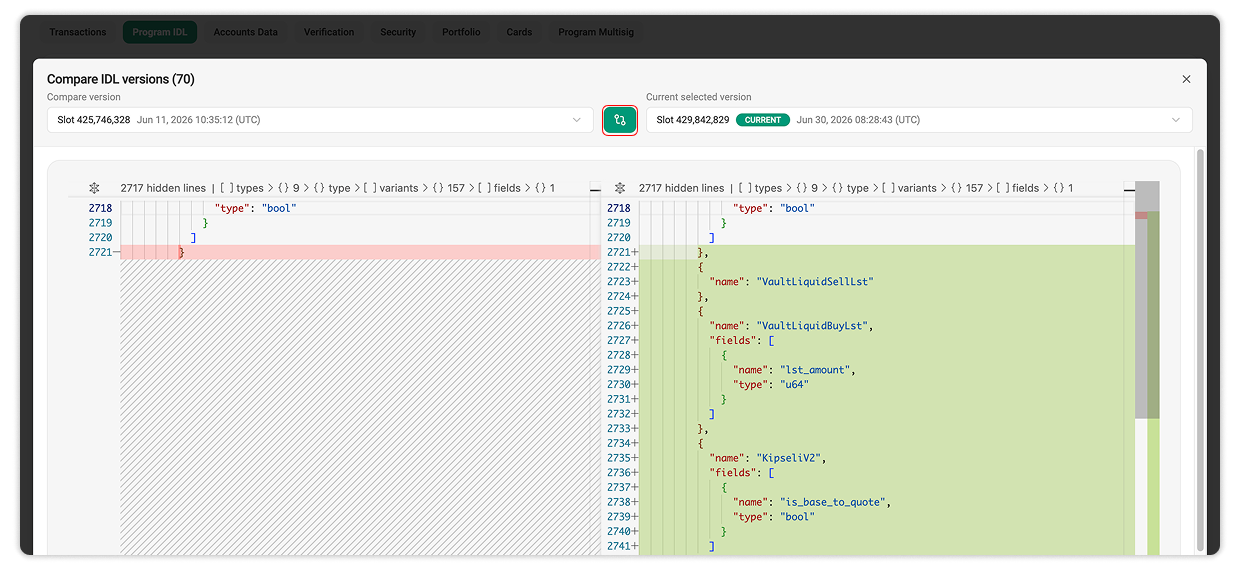
- Click the Compare button.
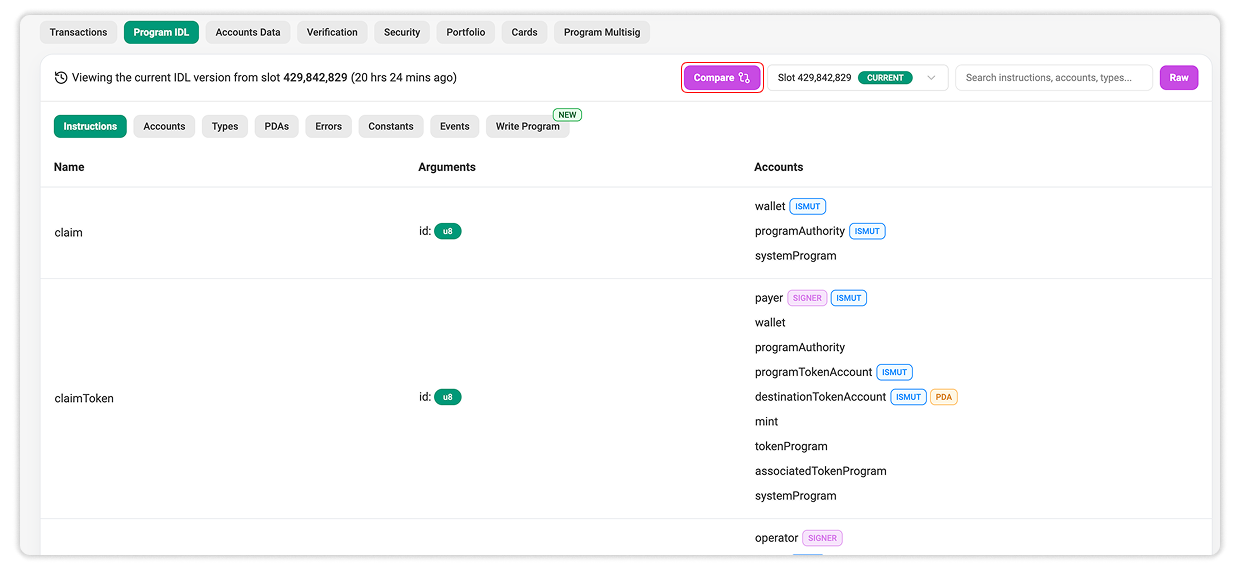
- Select the two IDL versions to compare.
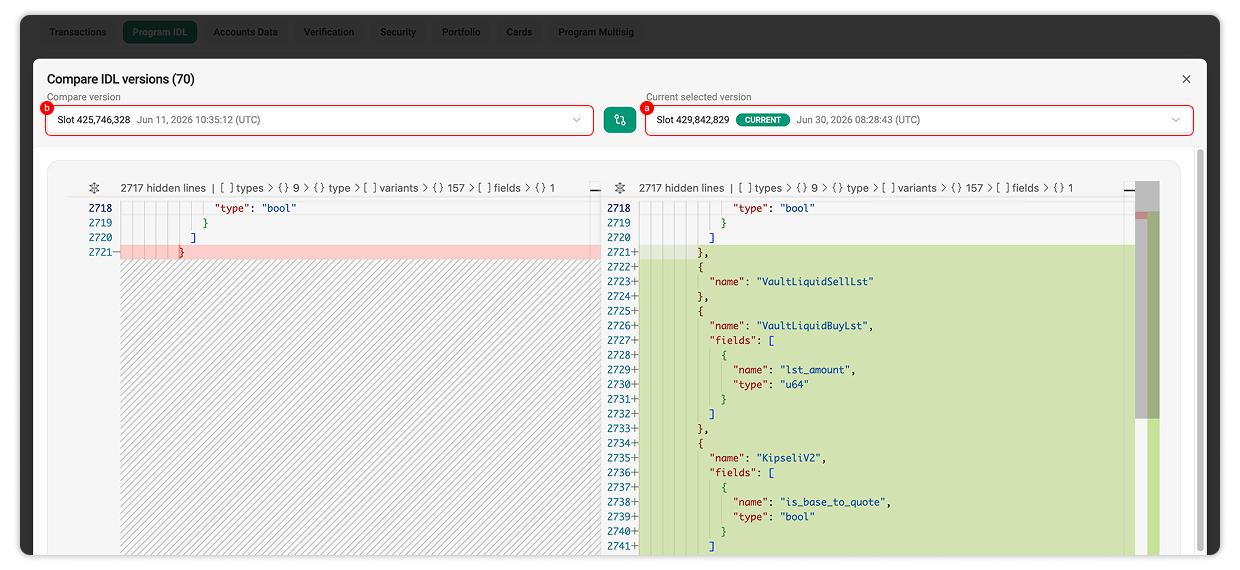
You can review the highlighted differences or choose to Show Unchanged Regions to view the full files.
Write Program (Interact with Program)
For programs with a verified IDL, Solscan provides a Write Program feature that allows users to interact with the program directly from the explorer.
Users can connect their wallet, browse instructions defined in the IDL, review required accounts and parameters, and execute transactions on-chain.
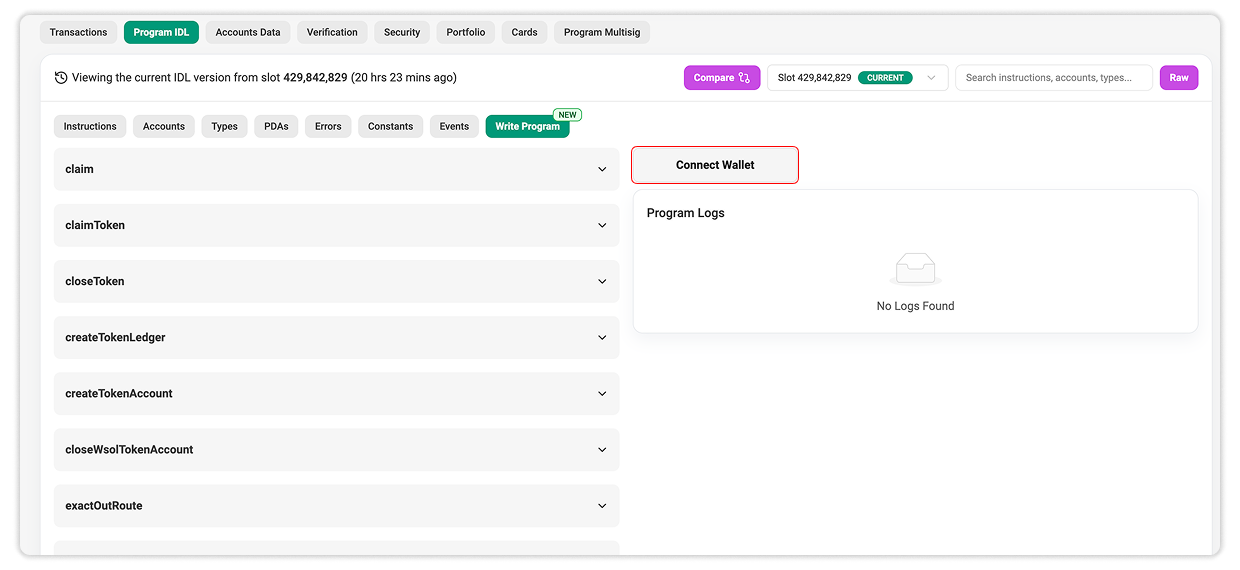
This removes the need for external tools or scripts and provides a guided interface for interacting with program functions. It is especially useful for developers and advanced users who want to test or validate behavior.
Users should always review instruction details carefully before executing any transaction, as actions will be signed and submitted on-chain using their connected wallet.
Frequently Asked Questions
IDL stands for Interface Definition Language.
A program IDL describes the structure of a program’s interface, including instructions, accounts, arguments, data types, events, and errors.
This can happen if the program has not published an IDL on-chain or if the IDL is not supported.
Solscan does not provide a feature to submit or write an IDL directly. Developers should publish their program IDL on-chain using the following command:
npx @solana-program/program-metadata@latest write idl $PROGRAM_ID ./idl.jsonA historical IDL is a previously uploaded version of a program’s IDL. It allows users to review how the interface looked in the past.
Comparing IDL versions helps users understand how a program’s interface has changed over time. This is useful for developers, analysts, auditors, and indexers.
Summary
Program IDLs make Solana programs easier to inspect and understand.
On Solscan, the IDL tab provides a clear way to view a program’s interface, explore historical versions, and compare changes over time.
IDLs improve readability, while historical IDLs help track how program interfaces evolve.

Still Have Questions?
Supported Explorers
 Solscan
  Eclipsescan
  Fogoscan