Solscan Transaction Inspector for Solana Developers
Solana transactions are rarely simple. A single click can bundle multiple instructions, touch dozens of accounts, and trigger nested program calls via CPI. When something breaks, or the result doesn’t match what you expected, you need more than a high-level transaction summary. You need to see what actually executed, step by step.
Solscan’s Transaction Inspector is built for that. It helps developers and power users decode, inspect, and debug transactions in a clean, structured view, with simulation and signer checks that make it easier to pinpoint what went wrong.
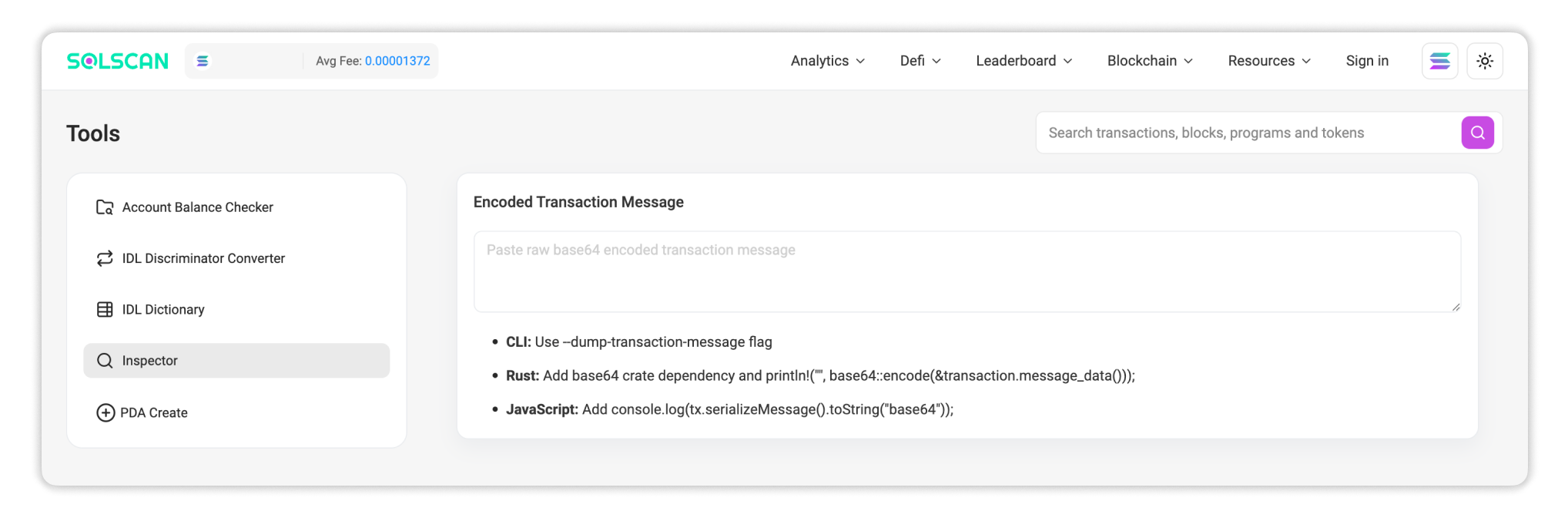
What Is a Transaction Inspector
A transaction inspector is a diagnostic view of a Solana transaction. Instead of showing a single “transaction event,” it expands the full execution layout: instructions, accounts, signers, inner instructions, token movements, and fee context.
Think of it as a way to read a Solana transaction the way the runtime does, before you send it, or after it confirms on-chain.
Locate the Tool
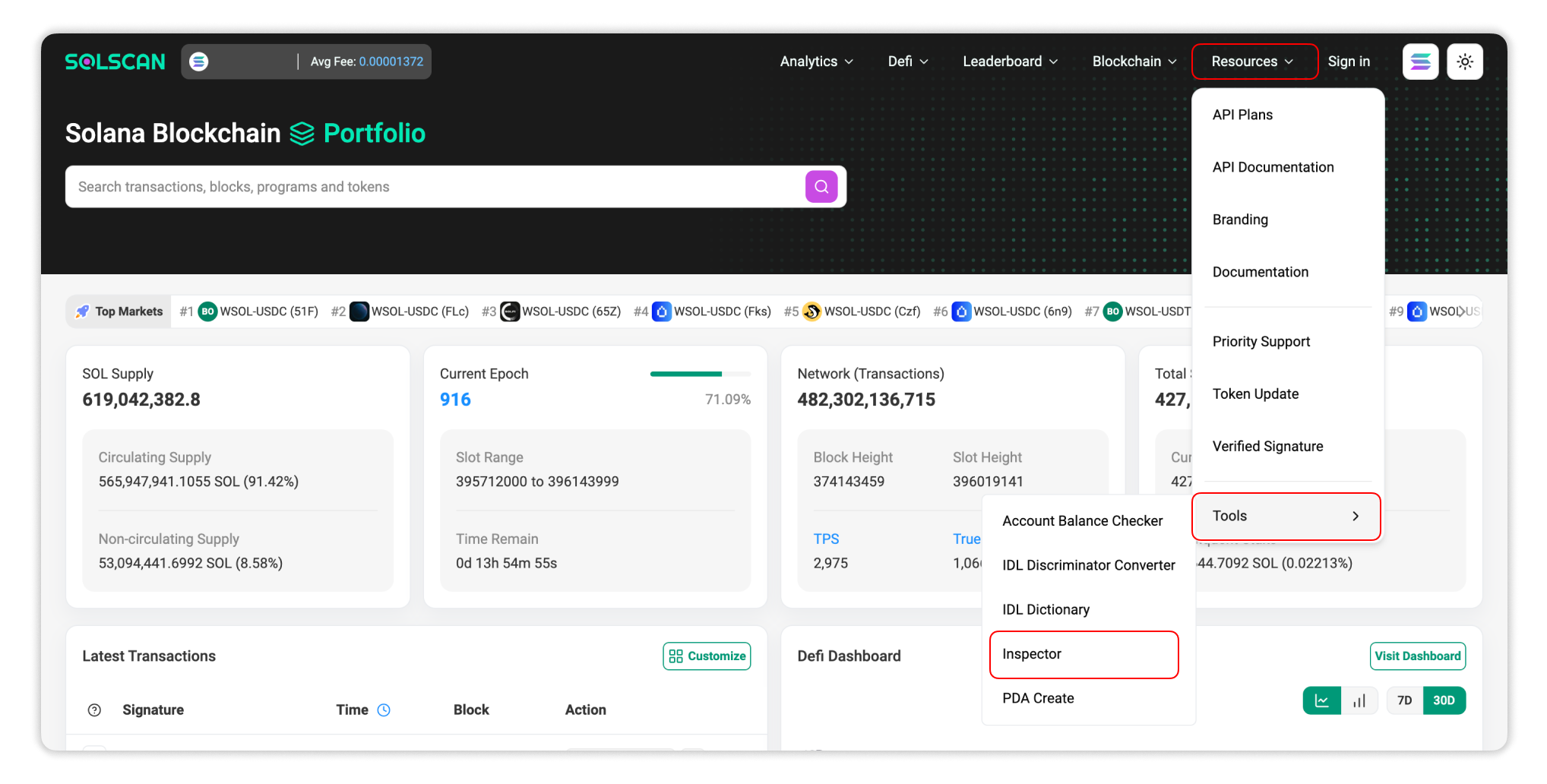
You can access the Transaction Inspector on Solscan through:
- Open Solscan website.
- Select Resources → Tools → Inspector from the navigation menu.
Alternatively, you can bookmark the tool using the direct link to Solscan's Transaction Inspector.
Key Features
Transaction Simulation (Preflight Without Committing State)
Simulation runs a transaction against the latest confirmed ledger state without broadcasting it. You can validate expected behavior without spending SOL or writing anything to the chain.
It’s especially useful for catching issues like missing accounts, incorrect signer setup, insufficient balance, or compute-related failures before they hit production.
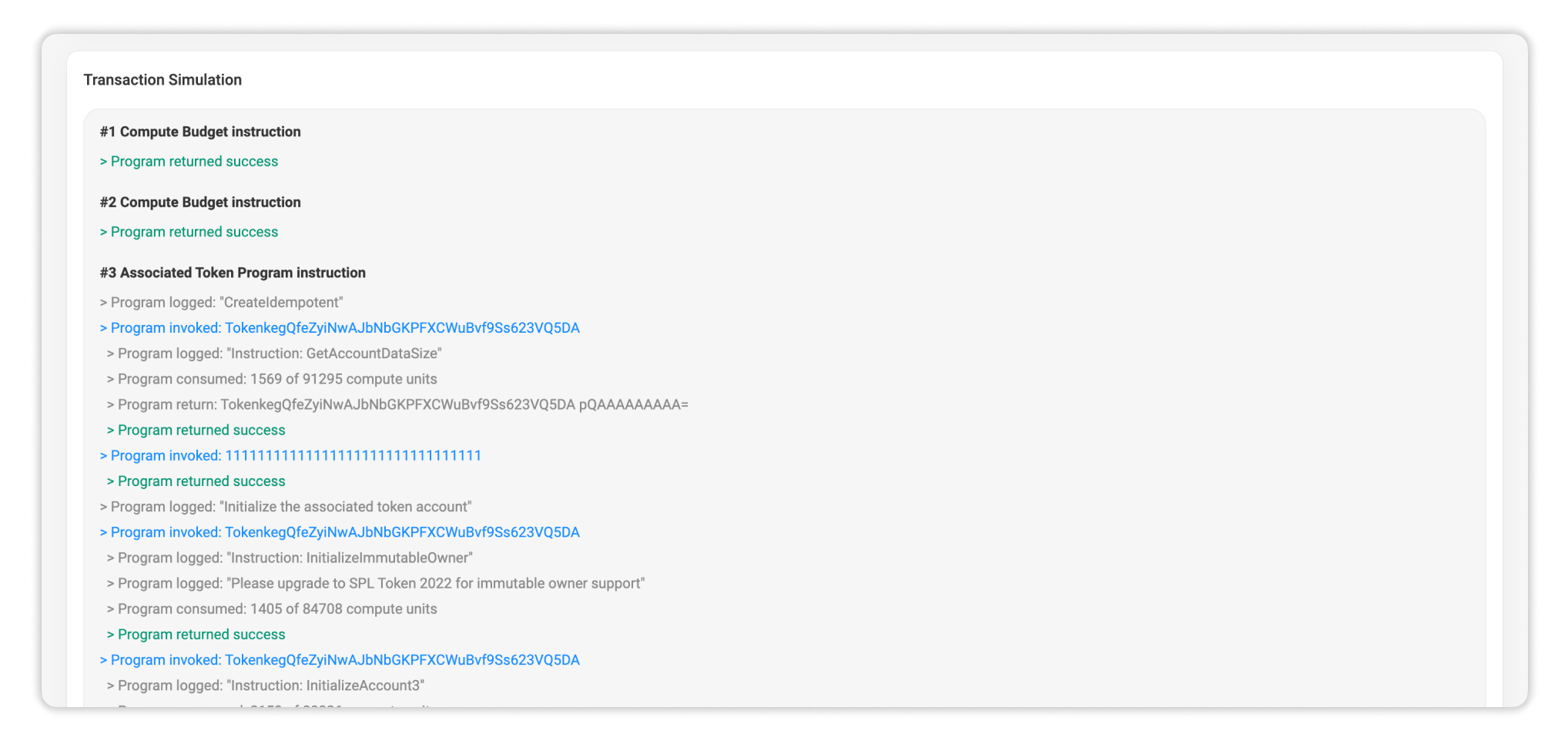
Transaction Overview (Fees, Size, Accounts, Instructions)
Once decoded, the inspector pulls the important context into one place:
- Serialized size
- Fee and fee payer
- Signatures (signer role and validity)
- Account list (and roles)
- Instruction-level details
This keeps the key facts visible while you drill into execution details.
Signer and Signature Validation
A lot of Solana failures are signer problems in disguise: missing authorities, wrong fee payer, or accounts marked writable/readonly incorrectly.
The inspector makes signer roles and signature requirements explicit, so you can verify the transaction is structured the way the programs expect.
Instructions Breakdown
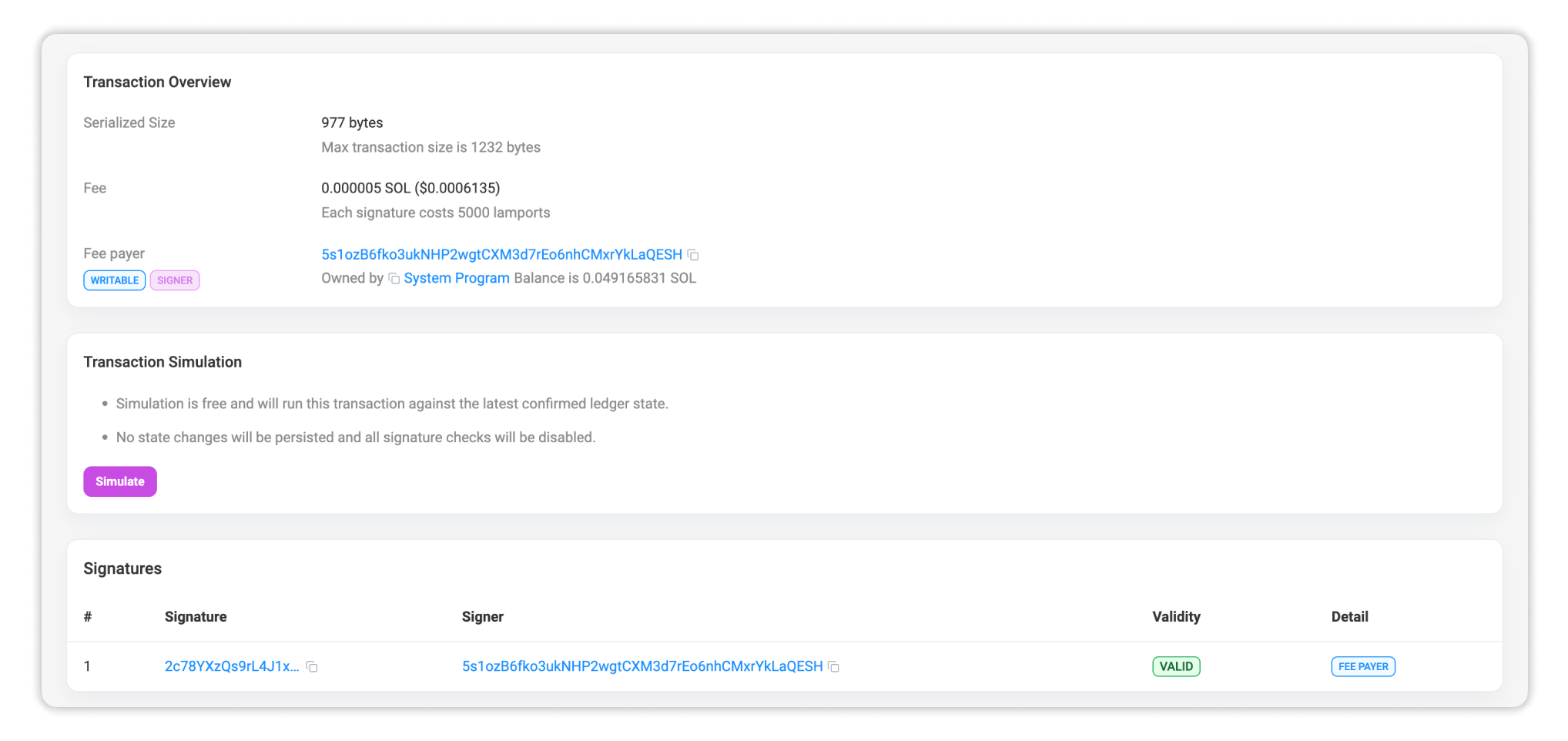
Many Solana transactions look small at the top level but expand into a deep execution tree once CPI kicks in. That’s where real behavior often lives: token transfers, ATA creation, swaps, mint/burn flows, vault interactions, and more.
Solscan Inspector expands both top-level and inner instructions, making it much easier to audit what actually happened during execution.
Common Use Cases
Solscan Transaction Inspector is most valuable when transactions get complex and debugging becomes guesswork.
Debugging failures quickly
Solana transactions don’t usually fail as a whole, they fail at a specific instruction index inside a specific program. Inspector-level visibility helps you narrow down:
- which instruction failed
- which program threw the error
- what inner instructions ran before it broke
- which account or signer requirement caused the failure
Validating integrations and transaction composition
If a wallet, SDK, router, or aggregator built the transaction, the inspector helps confirm it’s composed correctly at the execution level. That means fewer surprises around account ordering, instruction structure, or authority assumptions.
Reviewing unexpected activity
For incident review or suspicious transaction analysis, instruction-level inspection is often the fastest way to confirm what the transaction actually executed, not what the UI implied.
How to Use It
- Build your Solana transaction.
- Before sending it on-chain, serialize the transaction to base64.
- Paste the base64 string into Solscan Transaction Inspector.
- Run simulation + inspect the decoded instructions/accounts.
When a simulation fails, trace the breaking point. Use the failing instruction index and program call to identify exactly where the transaction breaks and what caused it.
Summary
Solscan’s Transaction Inspector makes Solana transactions readable at the level that matters: execution. With simulation, signer visibility, and full instruction breakdown (including inner instructions), it turns “why did this fail?” into something you can answer in minutes instead of guessing.