
Transactions Tab: Recent Improvements (Nov 2025)
Released November 2025
This release delivers a series of substantial improvements to the Transactions tab across Account and Token pages. The update focuses on deeper historical accessibility, precision filtering, clearer semantic interpretation, and a more configurable data table for advanced analysis.
Below is a comprehensive breakdown of what has changed.
1. Oldest-First Transaction View
A new “Oldest First” toggle allows users to immediately load the earliest transactions associated with any wallet or token.
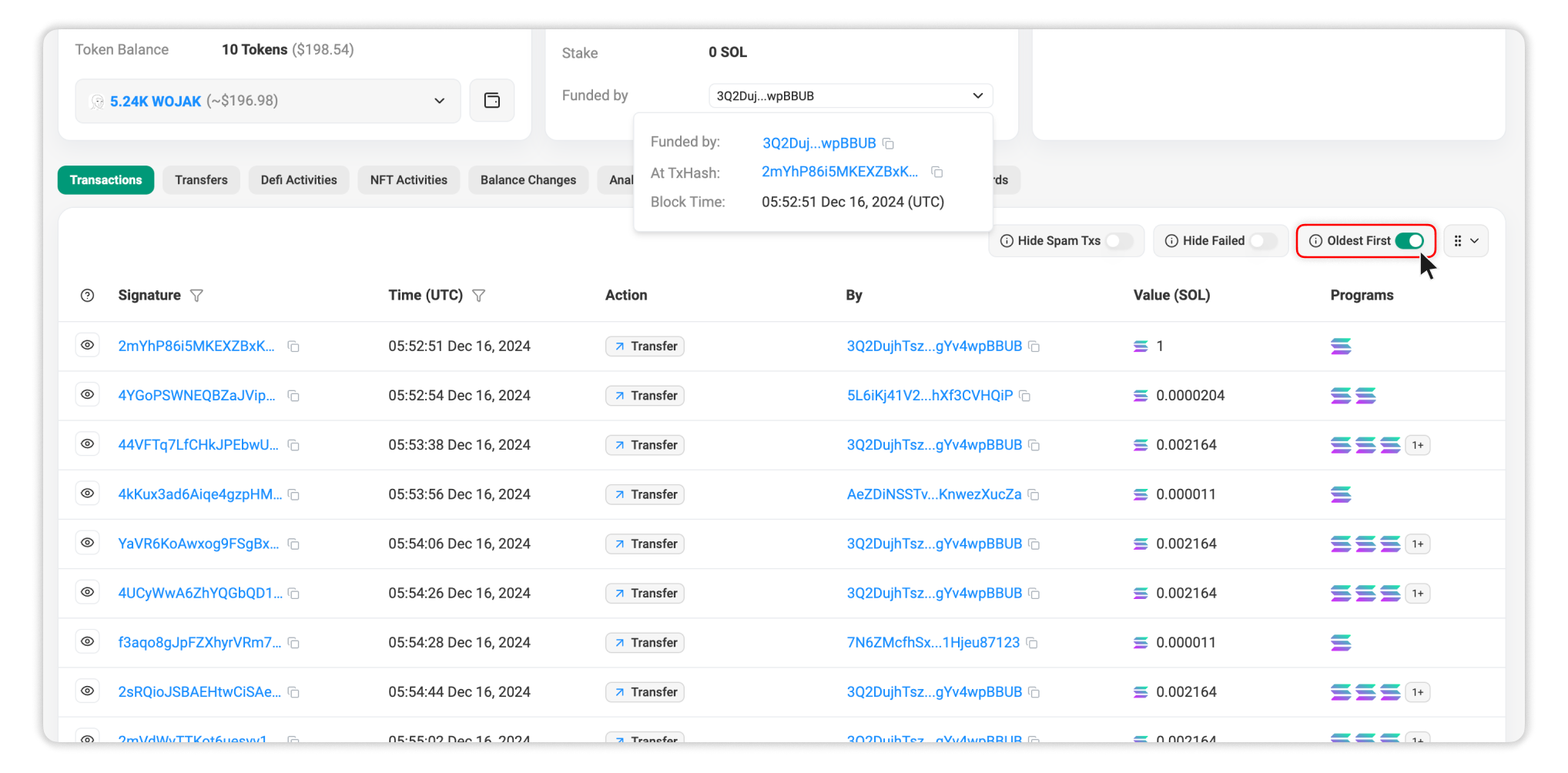
Highlights:
- Jump straight to genesis-era activity without manual pagination.
- Access early token mints, initial transfers, and first program interactions with a single action.
- Uses reverse-indexed server-side pagination for stable performance when querying deep history.
This removes the bottleneck of scrolling through large transaction sets and makes foundational history retrieval efficient.
2. Enhanced Filtering Controls
Filtering has been upgraded to give users deeper control over large datasets.
Signature Filter
- Supports full transaction signature input.
- Performs server-side resolution to return the specific transaction record.
- Ideal for cross-referencing transactions from external explorers, RPC logs, dashboards, or automated monitoring tools.
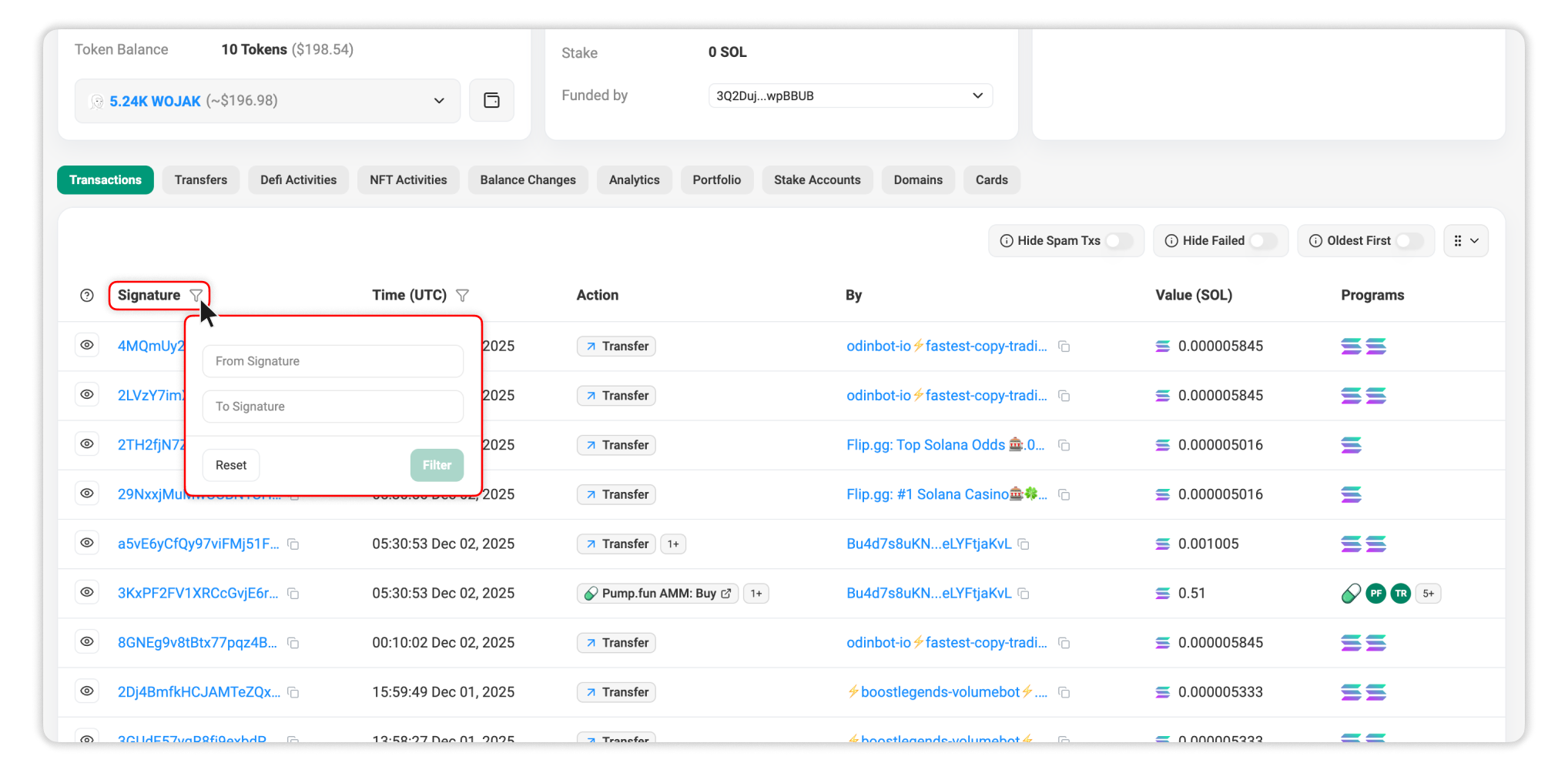
Time Filter: Reach to Genesis
- The time range filter now supports the entire Solana chain history, from Genesis to present.
- Allows long-range behavioral studies, legacy account audits, initial liquidity tracking, and historical distribution analysis.
Filtering now operates at full index depth with no cutoffs, enabling complete-chain visibility.
3. New Action Column
A new Action column has been introduced to translate raw instruction data into human-readable, common transaction types.
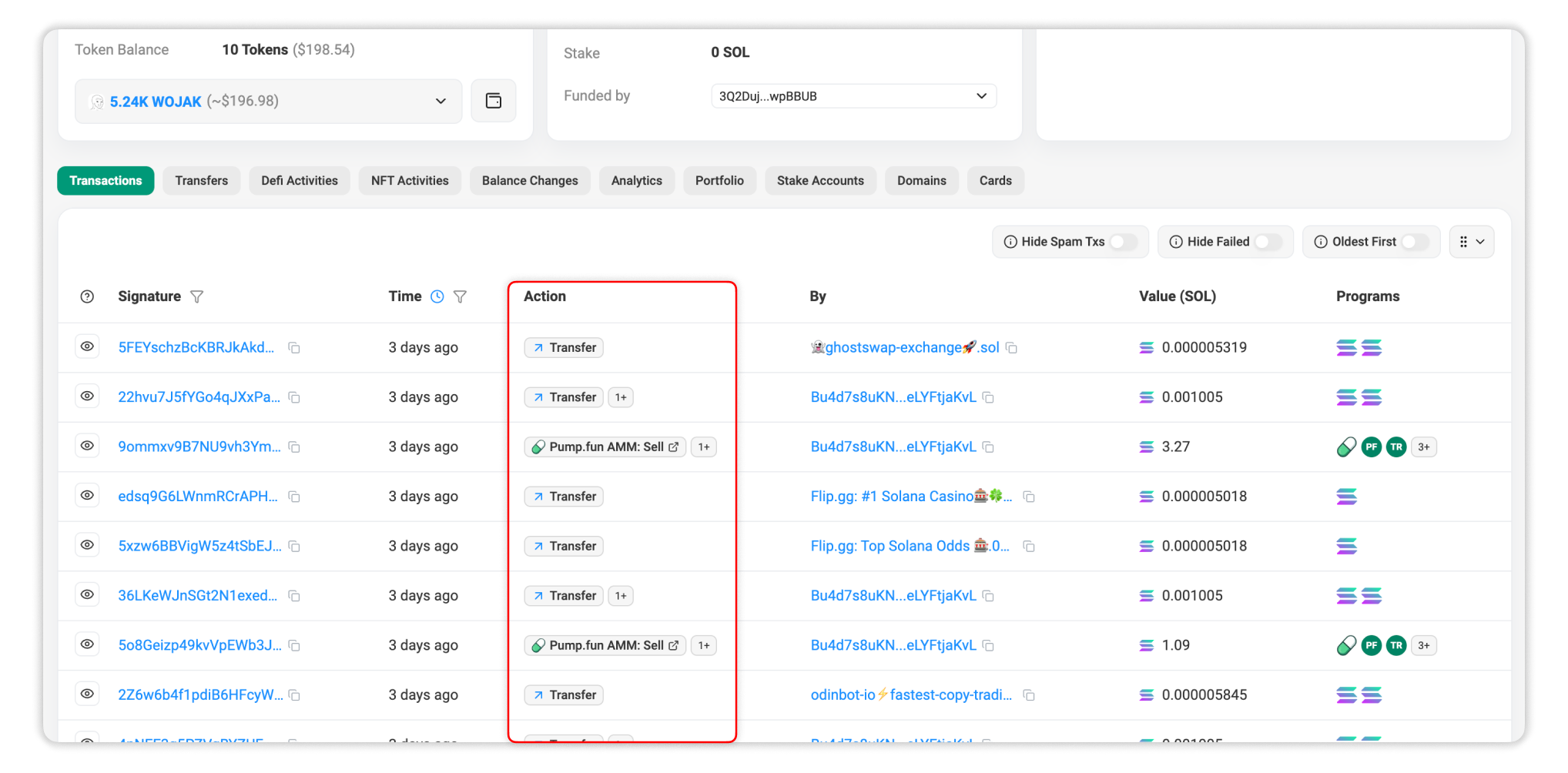
Examples of supported classifications:
- Jupiter swaps
- Raydium swaps
- Add/remove liquidity
- Token transfers
- Stake/unstake
Technical detail:
Program instructions are parsed and mapped through a classification layer to output deterministic action labels, reducing the need to open each transaction manually to understand its purpose.
This substantially improves scan efficiency when working with large, dense transaction histories.
4. Table Enhancements
Updated Default Columns
The Transactions table layout has been refined to surface essential details without sacrificing flexibility.
The default table structure has been optimized to balance clarity and information density for the majority of workflows:
- Preview: Quick preview of the transaction (main action, status, transaction fee).
- Signature: The transaction hash (unique ID) of the transaction.
- Time: The timestamp when the transaction was processed. Click the Time header to view the detailed timestamp.
- Action: Short summary of the main transaction actions.
- By (Address): The signer or authorization address responsible for the transaction.
- Value: The approximate total value involved in the transaction.
- Program: The programs invoked by the transaction.
Customizable Table Layout
Additionally, power users can also tailor the table via the settings panel (top-right icon):
- Show/Hide Columns: Tick individual check boxes on or off.
- Drag to Reorder: Rearrange columns to prioritize fields according to your workflow.
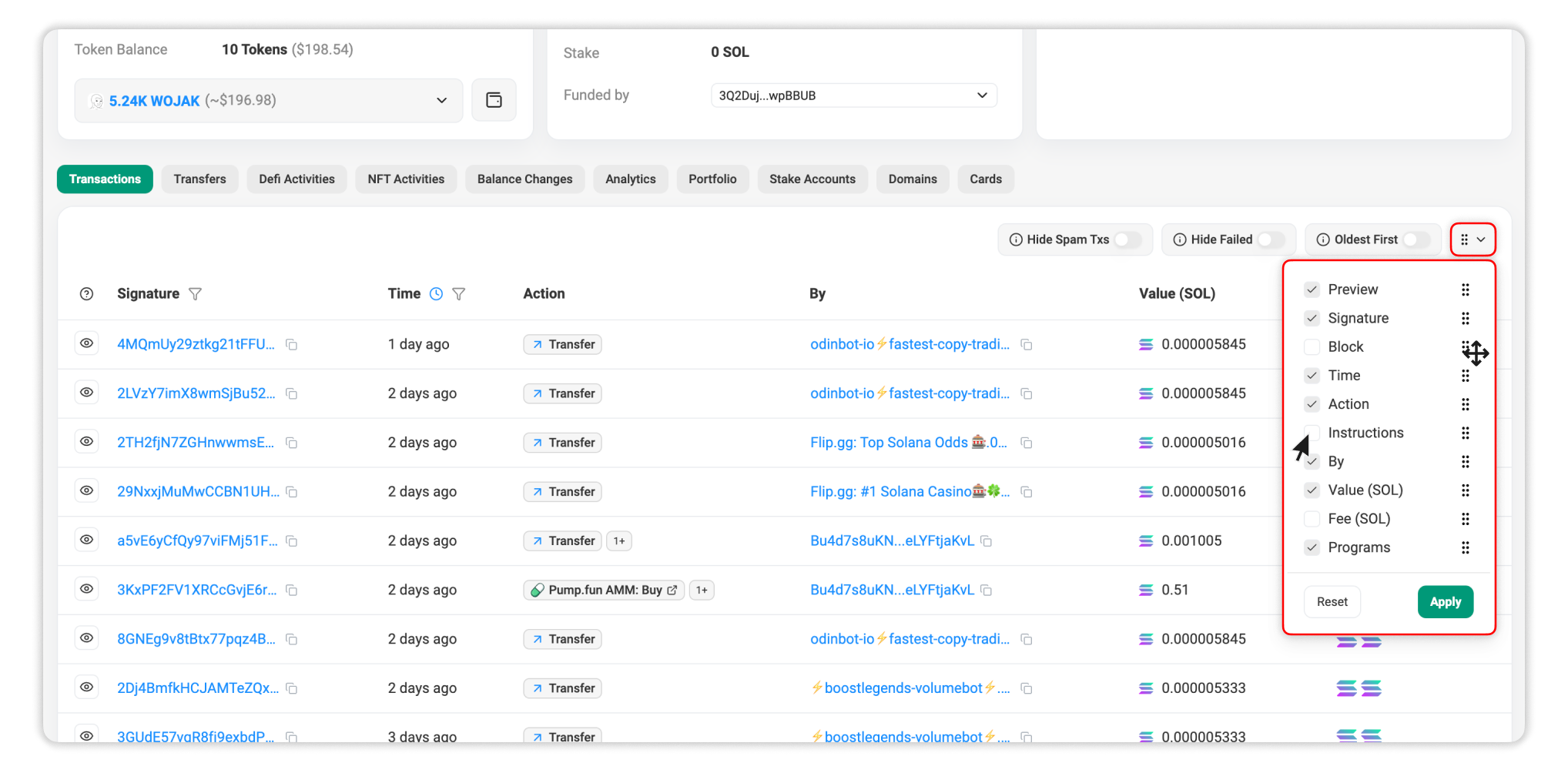
These improvements support diverse use cases: from on-chain investigation to DeFi analysis, NFT tracking, program debugging, and multisig auditing.

Still Have Questions?
Supported Explorers
 Solscan
  Eclipsescan
  Fogoscan