
Exploring Sandwiches Activity Leaderboard
The Solscan Sandwiches Leaderboard provides a real-time view of detected MEV sandwich activity on Solana. It helps users identify the MEV bots, affected addresses, validators, token pairs, markets, programs, and estimated revenue associated with each record.
A sandwich attack is a form of MEV in which a bot places transactions before and after a user’s swap to attempt to profit from its price impact. The leaderboard surfaces these detected patterns and links them to the corresponding on-chain data for further investigation.
Locate the Sandwiches Leaderboard
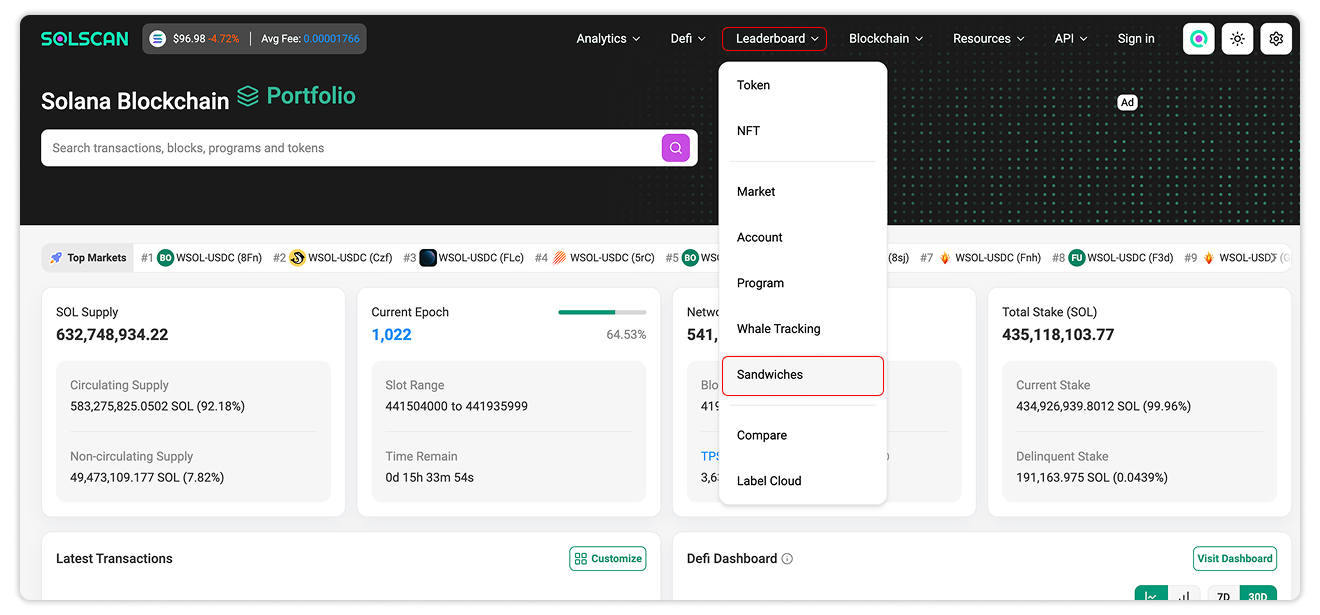
To access the leaderboard:
- Open the Solscan website.
- Select Leaderboards → Sandwiches from the navigation menu.
You can also open the Solscan Sandwiches Leaderboard directly.
Sandwiches Activity Overview
The leaderboard displays the latest detected sandwich activity on Solana. Unlike leaderboards that rank accounts by an aggregate metric, this page functions as a continuously updated activity feed.
The page is divided into two views: Single and Wide. Select between each tab above the table to switch between the two views.
For the technical differences between these sandwich attack patterns, see MEV and Sandwich Attacks on Solana.
Understanding the Leaderboard Columns
Single View
The Single view includes the following columns:
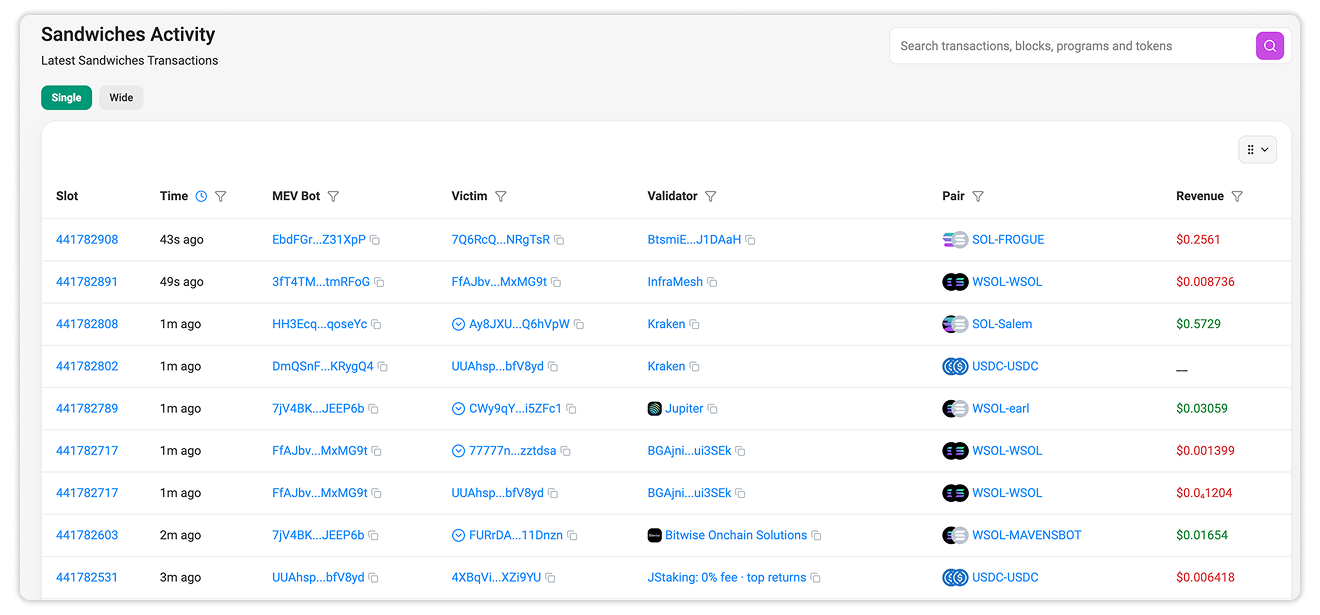
- Slot: Shows the Solana slot in which the detected activity occurred. Select the slot number to open the corresponding Block Details page.
- Time: Shows how long ago the activity occurred. The leaderboard displays recent records using relative times, such as seconds or minutes ago.
- MEV Bot: Shows the address identified as the MEV bot involved in the activity. Select the address to open its Account Details page on Solscan.
- Victim: Shows the address affected by the detected sandwich activity. Select the address to review its account information and related on-chain activity.
- Validator: Identifies the validator that produced the block containing the activity. Solscan displays the validator’s identity label where available.
- Pair: Shows the token pair involved in the detected activity.
- Revenue: Shows the estimated revenue associated with the record. This value should not automatically be interpreted as the bot’s final net profit, as transaction fees, tips, and other execution costs may also apply.
Wide View
The Wide view includes several columns also found in the Single view, including Slot, Time, MEV Bot, Pair, Revenue, and Validator. It also provides the following fields:
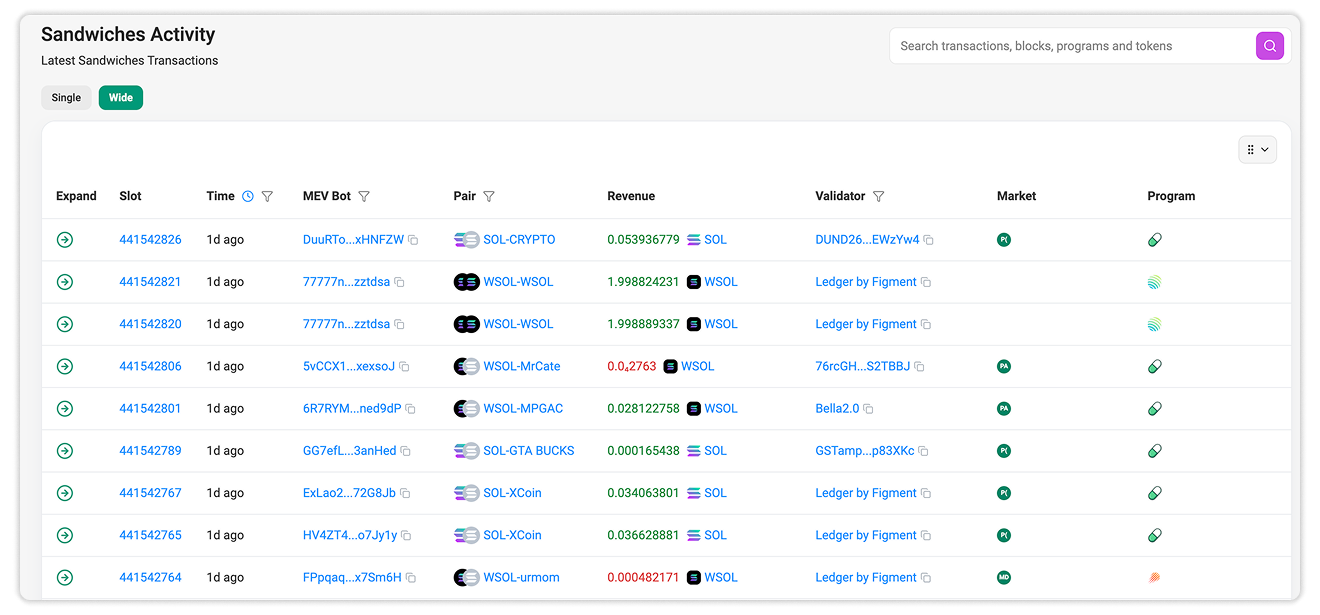
- Expand: Opens the selected record to display its related activity in greater detail.
- Market: Identifies the market or trading venue associated with the detected activity. Recognized markets may be represented by their platform icons.
- Program: Shows the Solana program associated with the activity. Recognized programs may also appear as platform icons.
Revenue in the Wide view may be denominated in the token extracted from the activity. Values displayed in different tokens should not be compared directly without accounting for their respective market prices.
Filtering Sandwich Activity
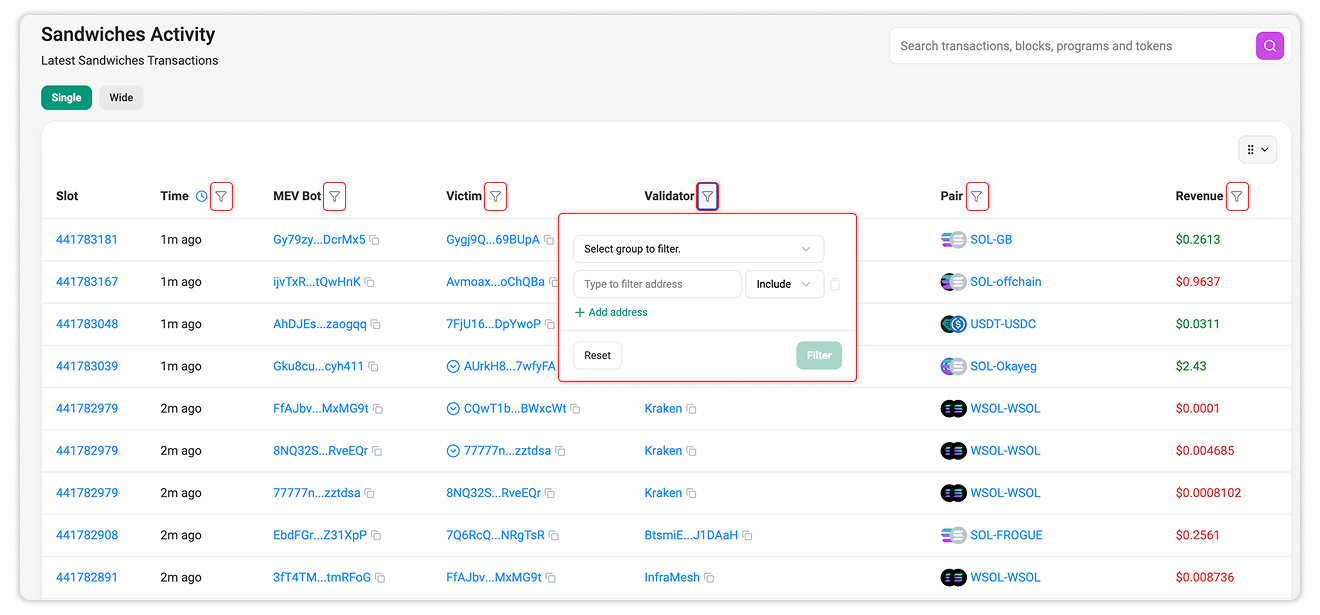
Filter icons beside supported columns allow users to narrow the activity feed by criteria such as Time, MEV bot, Victim address, Validator address, Token or trading pair, or Revenue range.
Available filters may differ between the Single and Wide views. Multiple filters can be applied together to isolate more specific records.

Still Have Questions?
Supported Explorers
 Solscan
  Eclipsescan
  Fogoscan