
Exploring Account page
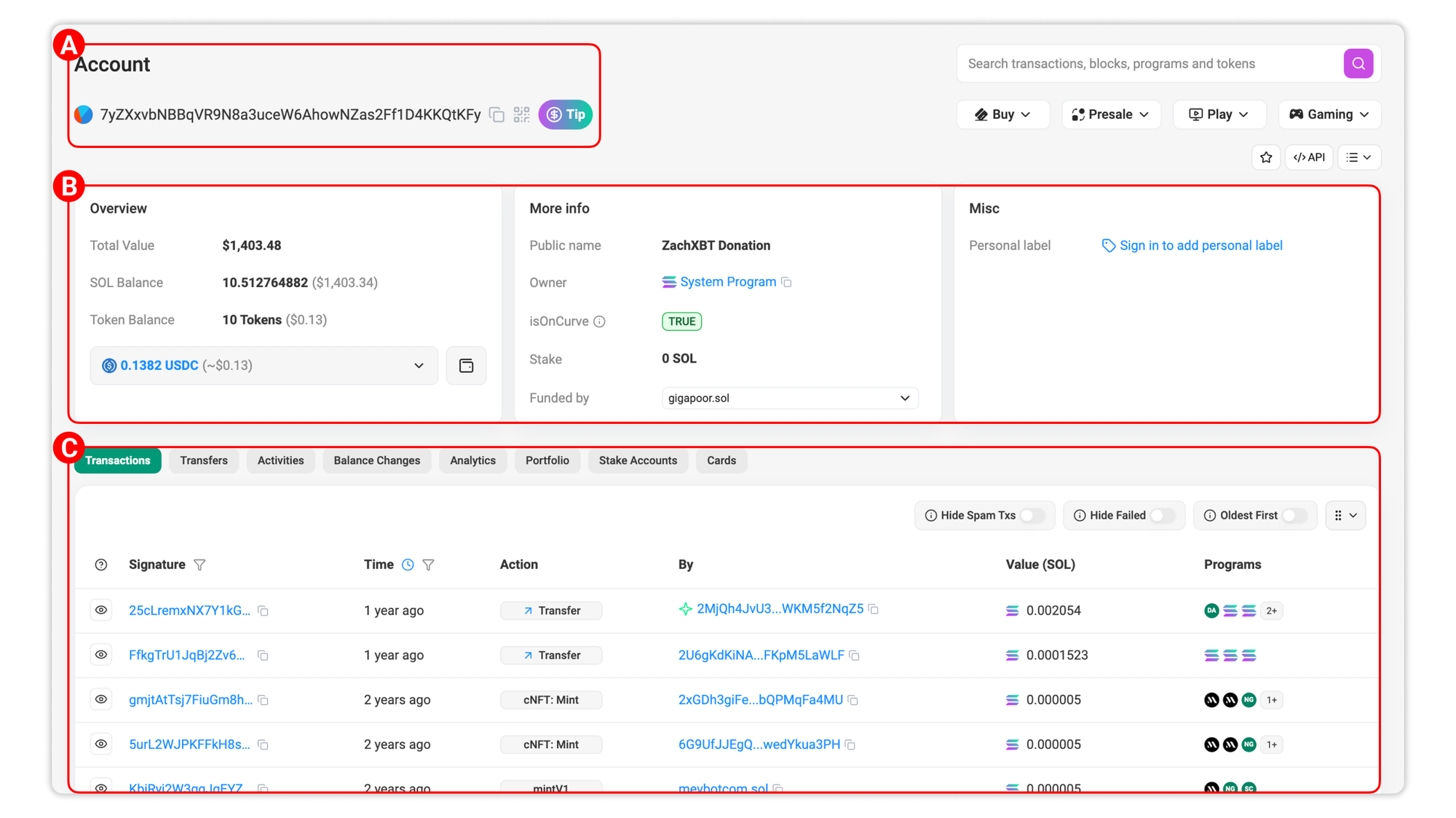
User can look into any Account (i.e. wallet address) page on Solscan by pasting a wallet address in the search bar on every page of our website. An Account page is as below. To understand this page, we will break down and go through it in three sections: (A) General information, (B) Account details and (C) Activity.
Section A: General information
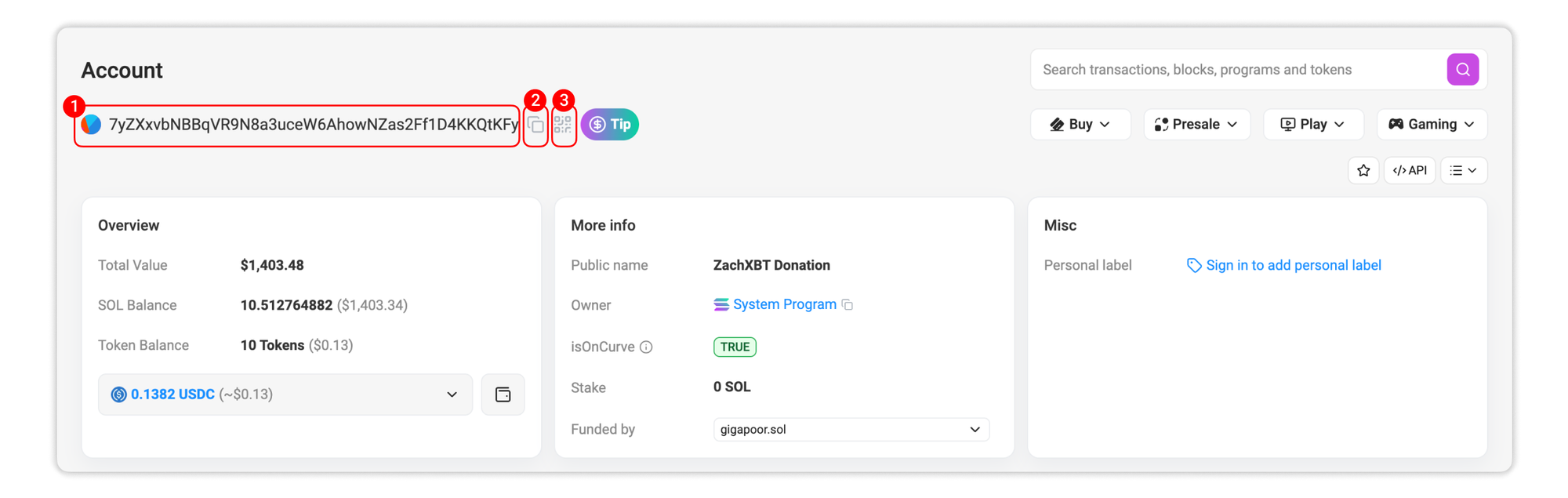
1. Address: This is the wallet address that you are currently viewing.
2. Copy: Click this icon to quickly copy the address into your clipboard.
3. View QR code: Click this icon to view the QR code of the wallet.
Section B: Account details
1. Overview
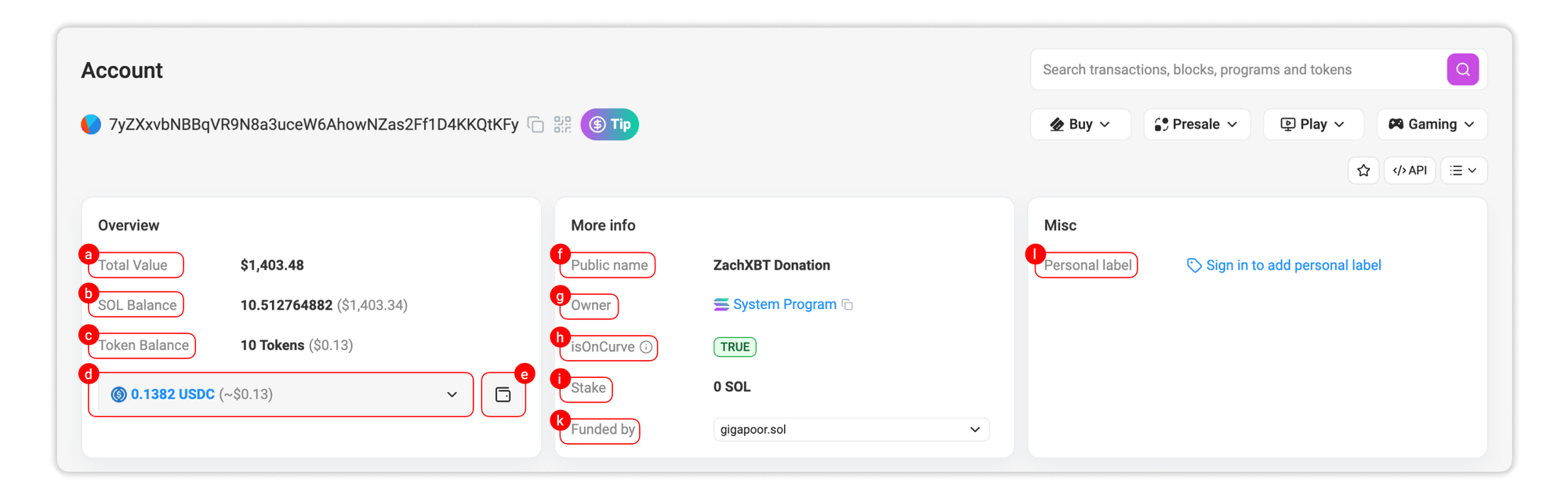
a. Total Value: The combined worth of all tokens (SOL and SPL tokens) held within it (in USD).
b. SOL Balance: This shows the total SOL balance that the wallet is holding and the value (in USD).
c. Token Balance: This shows the total number of SPL tokens that the wallet is holding and the total value (in USD).
d. Portfolio dropdown menu: Click on the dropdown menu to see the list of holdings inside the address with their value (if available) in USD.
e. View detail assets: Click this icon to jump to the Portfolio tab.
2. More info
f. Public name: If this address belongs to a specific entities on Solana and is labelled by Solscan team, it will be shown here.
g. Owner: The Native Program that owned the account. Read more about Native Programs in Solana documentation HERE.
h. isOnCurve: This indicates whether the address has a corresponding private key, which denotes if the give address is a Program Derived Address. If the variable is set to True, then the account has a corresponding private key. Off-curve addresses do not have private keys.
i. Stake: This shows the total number SOL staked by the account.
k. Funded by: This shows the first funder address, funding transaction, and timestamp for the selected wallet.
3. Misc
l. Personal label: If you set a label to the given address (for customization or easy memorize), it will be shown here.
Section C: Activity
-
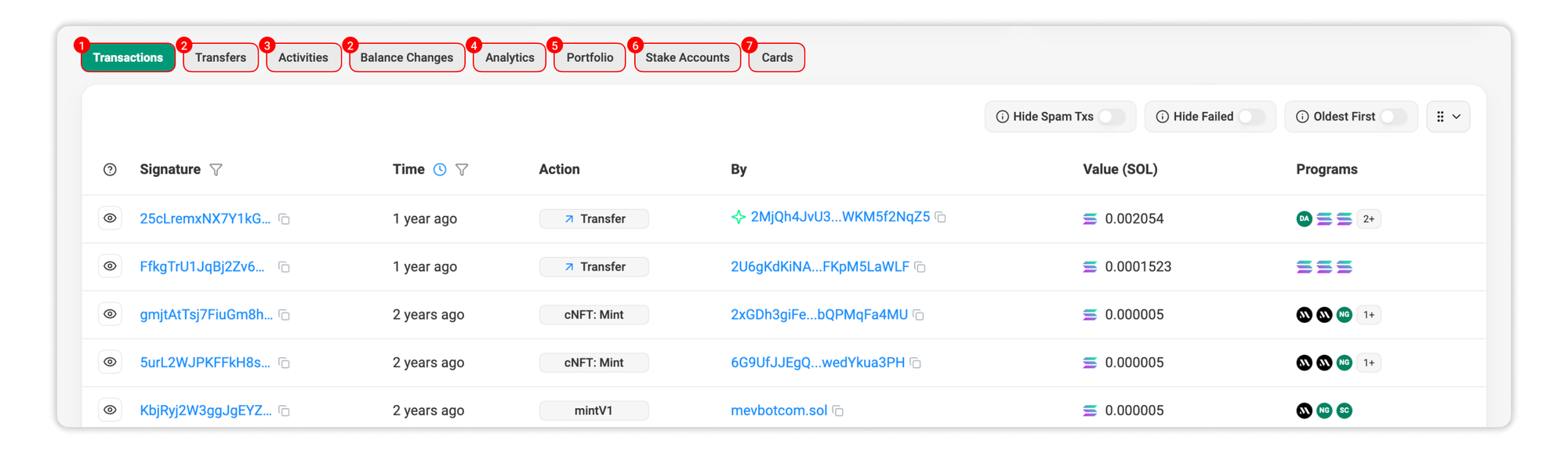
Transactions: This tab shows all transactions sent or received by the account, fetched on-chain in realtime.
-
Transfers: This tabs shows all token transfer events of the wallet in chronological order from the latest.
-
Activities:
- Defi Activities:This tab shows all trading activities on major Solana DeFi platforms performed by the wallet.
- NFT Activities: This tab shows all activities related to NFT on major NFT marketplaces performed by the wallet.
-
Balance Changes: This tab displays all SOL and SPL transfer activities of the wallet.
-
Portfolio: This tab shows a detailed list of assets that are held by the wallet:
- Tokens
- Positions
- NFTs
- Domains
For a detailed walkthrough when working on any wallet's holdings, refer to our article on exploring Account Portfolio page.
-
Stake Accounts: This tab shows all Stake Accounts if the wallet has staked SOL in any platforms.
-
Cards: This tab shows additional wallet insights, such as unclaimed airdrops and potential SOL recovery by closing empty token accounts or burning spam assets.

Still Have Questions?
Supported Explorers
 Solscan
  Eclipsescan
  Fogoscan